

Updating Training Codes

Run An External Training Detailed Report
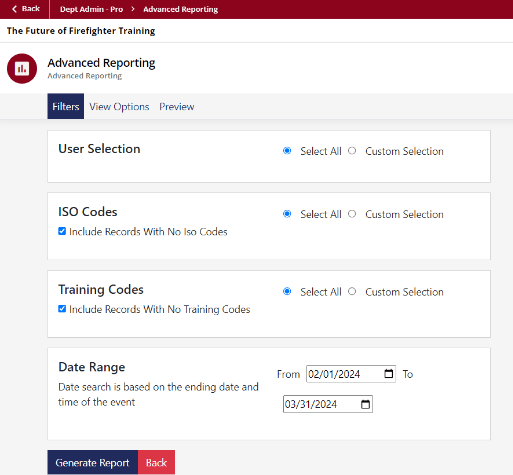
1. Go to the User Menu on the left and click “Advanced Reporting”
2. Click “View” under “External Training Detail Report”
3. Edit the date range to:
a. From: 02/01/2024
b. To: 03/31/2024
4. Click “Generate Report”

Check Report for Missing Codes
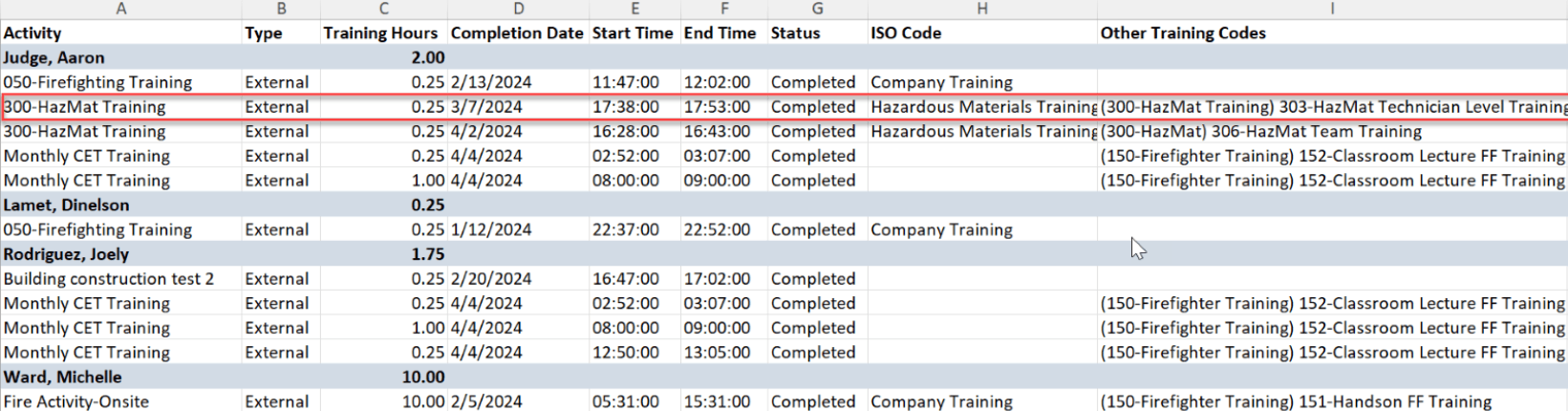
Under the “Other Training Codes” column, check for any missing training codes.
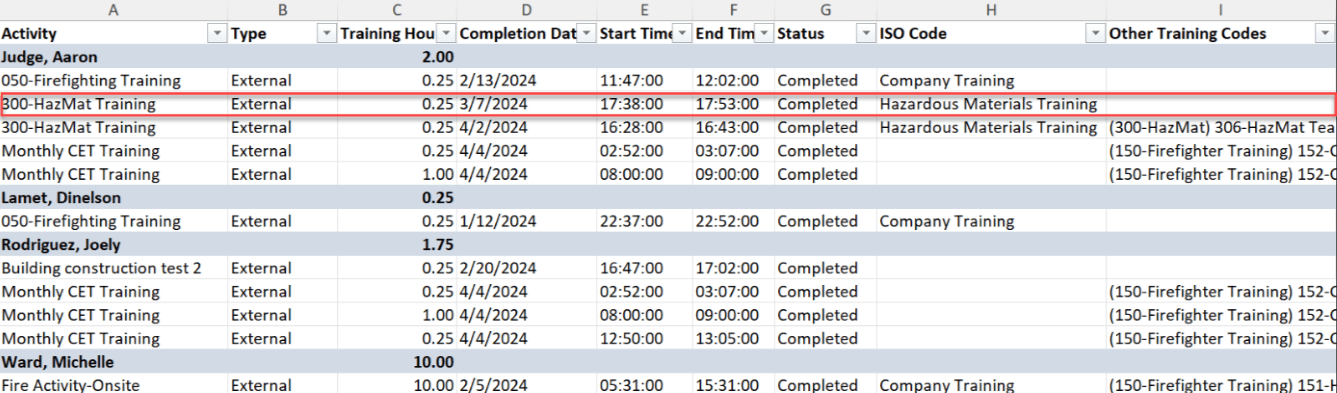
Once you’ve identified any missing codes, you will have to update the session in Course Management.
Note: you will only need to add the codes to the session once, which will trickle down and update all attendees tied to that session. No need to update individuals’ records.

How To Add Codes To Approved Submissions
1. Identify & Copy Codes
a) Identify the codes you want to add by going to the User Menu, clicking “External Training” and then the “Codes” tab.
b) Scroll down to the “Copy Training Codes” section, select the missing code(s) in the dropdown section, and click “Generate Formatted Training Codes”
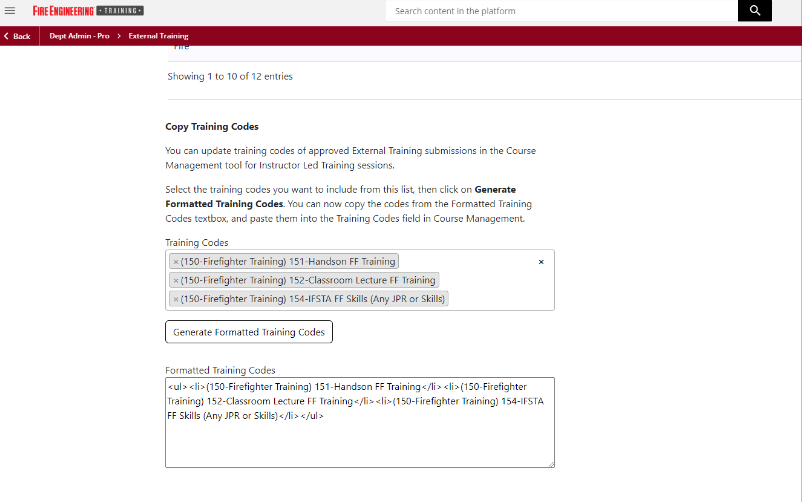
2. Update Sessions:
a. On the ⚙ “Admin Menu” go to “Course Management”
b. Find the activity/course in Course Management and click on sessions.
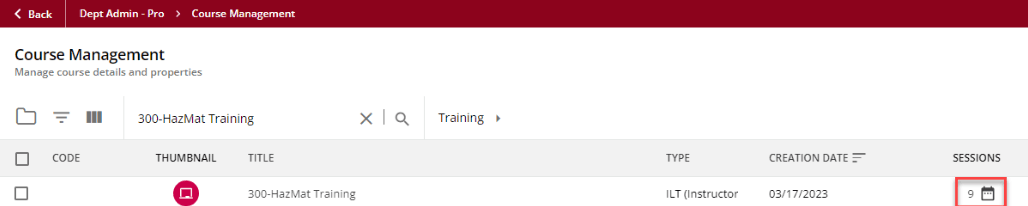
c. Find the session you would like to update. You can add the training code column to see how the session is currently coded.
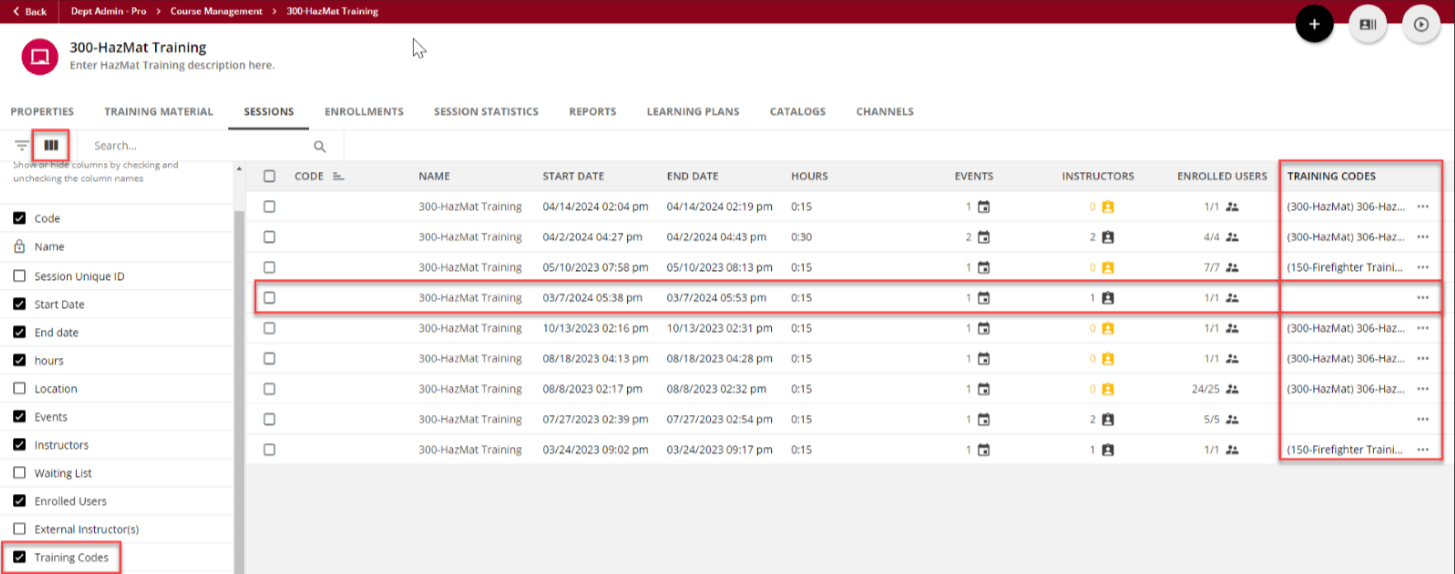
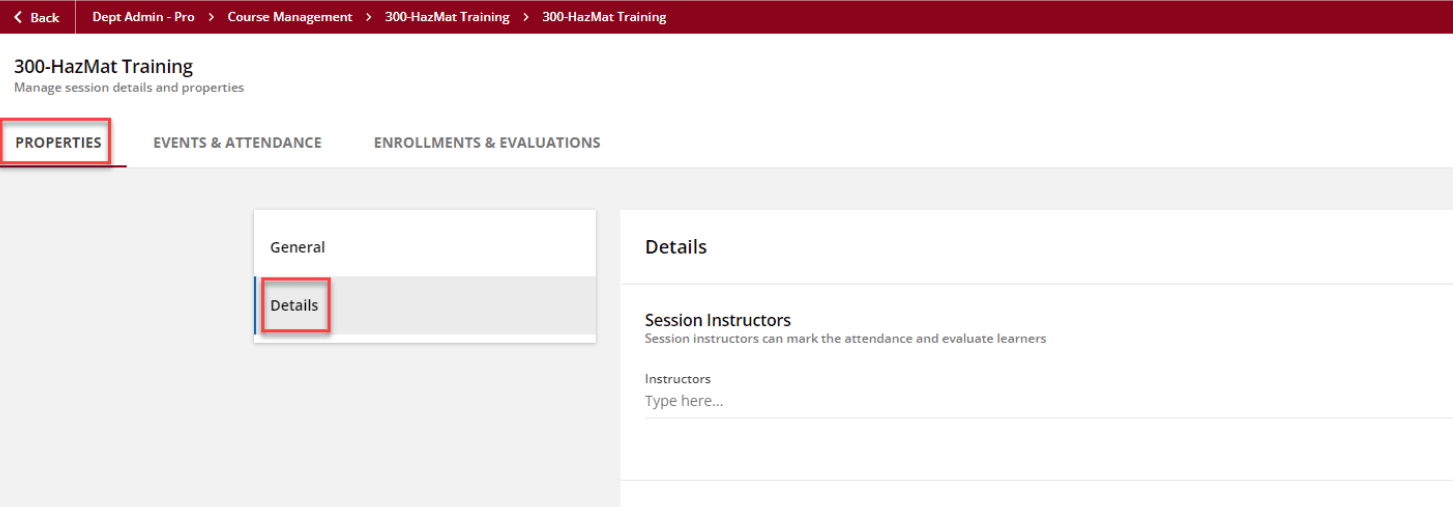
d. Edit the session and go to the Properties tab. Select the Details section.
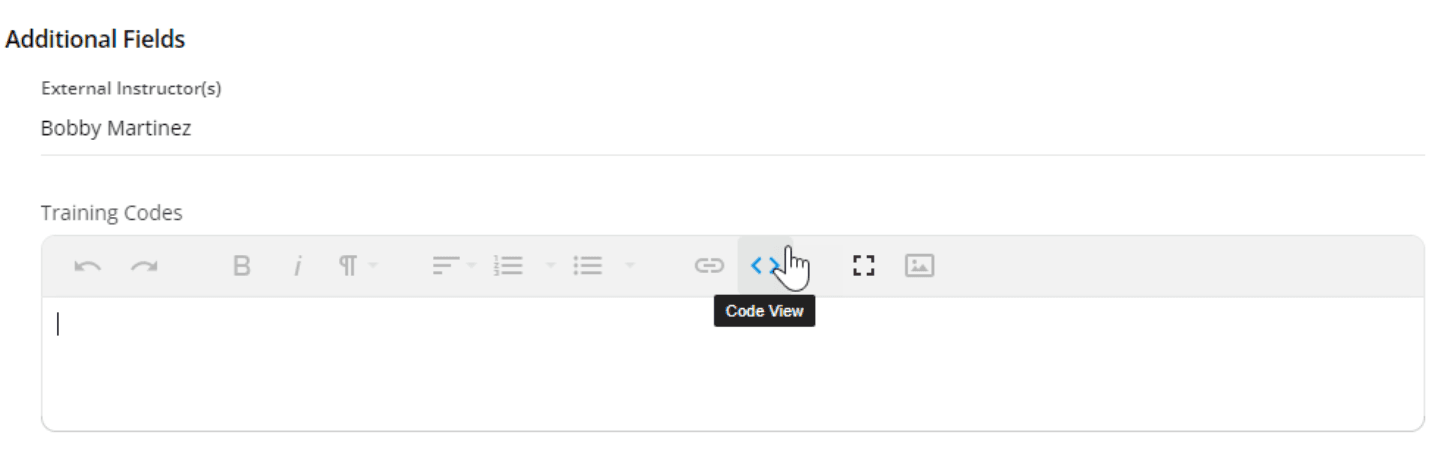
e. Scroll down to the Training Codes section and click on the Code View button.
f. You can now paste the formatted codes you copied from External Training.
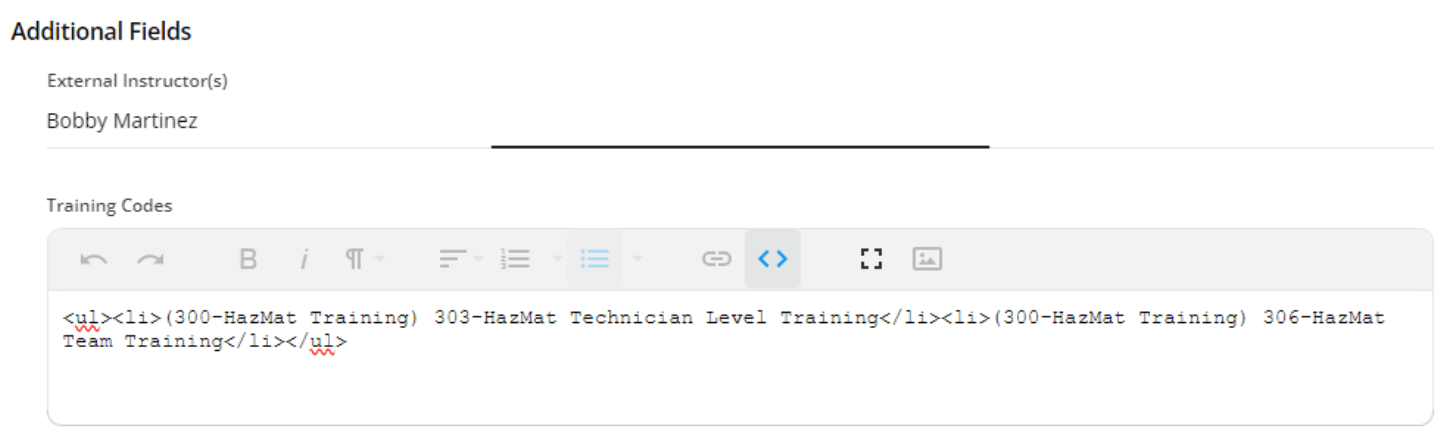
g. Clicking the Code View button again will clean the formatting. Save your changes.
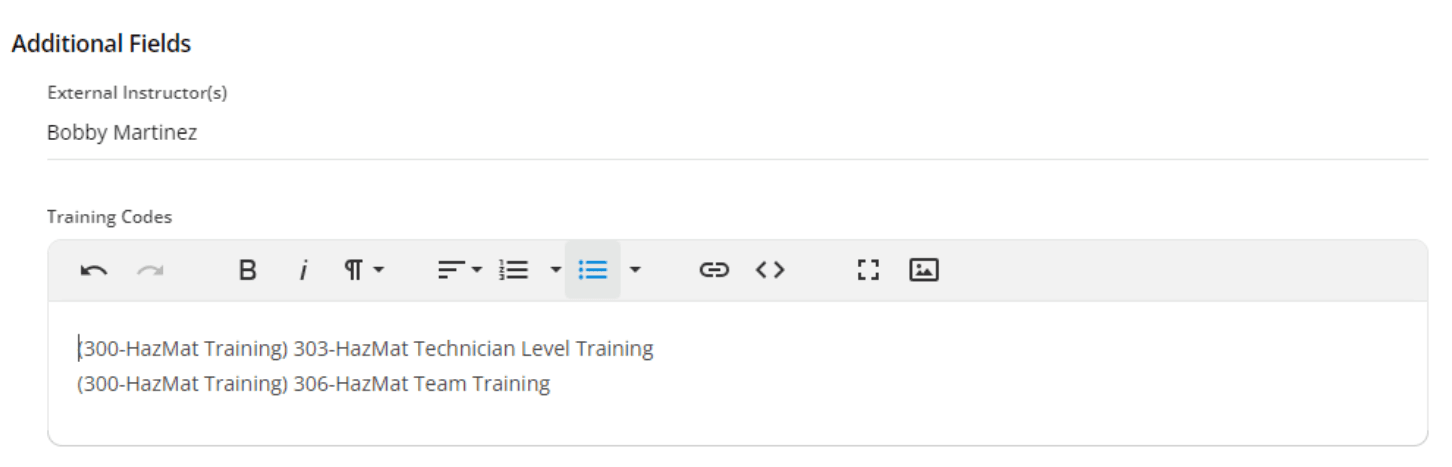
Note: after saving your changes, all attendee records will be updated and will show this code in the report.

[Optional] Run External Training Detailed Report to Confirm Changes
While the session won’t be updated in External Training, you can rerun the External Training report to see the updated record with the new training codes.
Join Fire Engineering Training
Ready for next-level training?
Our sales team will be in touch soon to discuss our available plans and how we can assist your department in meeting its training requirements and needs.