Pre-Coded for ISO
Our content library is already coded with ISO categories, and your own custom courses can be tagged the same way.
Real-Time Progress
Completed hours tally automatically by category, with a clear view of percent progress toward each annual requirement.
Department-Wide Visibility
Track individual progress or pull a full department summary, broken down by member and by ISO category.
Automatic Hour Tracking
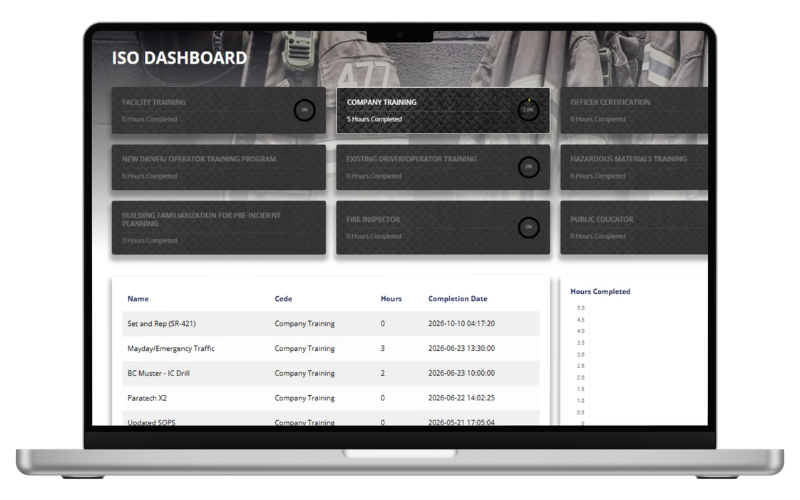
As training is completed, your dashboard tallies hours by ISO category and shows progress toward the requirement, no manual entry required.
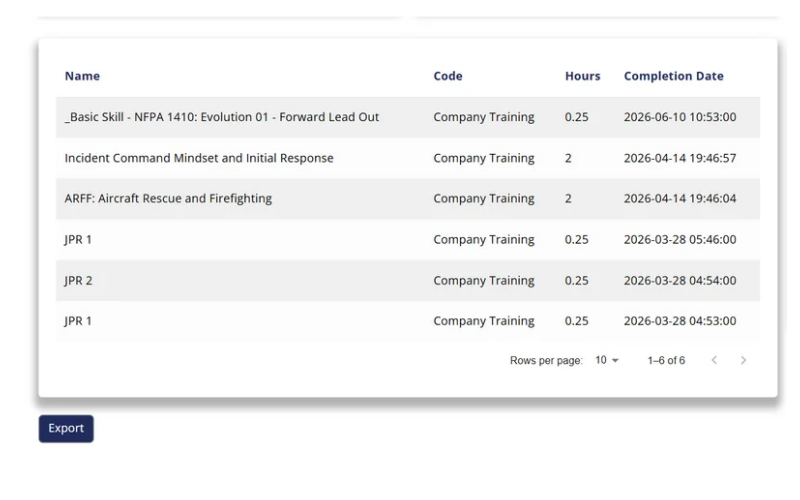
Drill Into the Details
Click any category to see exactly which courses were completed, when, and by whom. A full year-over-year completion chart shows training activity at a glance.
Department-Level Reporting
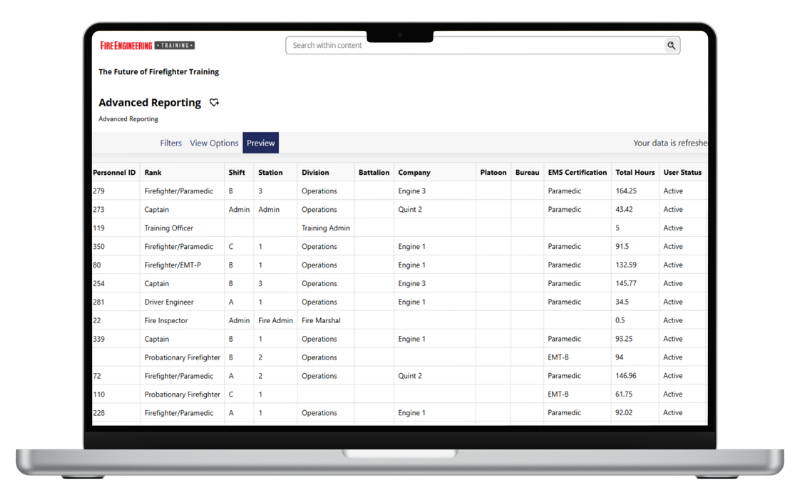
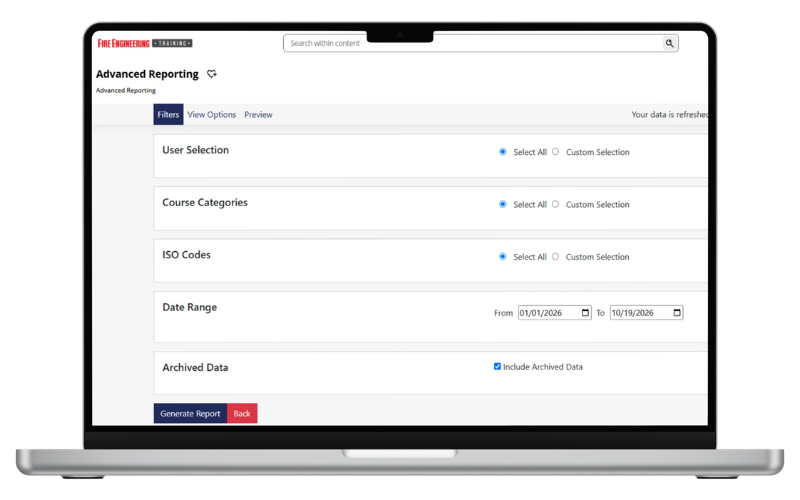
Pull an ISO Summary Report for a high-level view of accrued hours across your whole team, or an ISO Detail Report to see every completion, organized by learner and category.
Export-Ready
Export completions for all ISO categories for the current year with one click, ready to hand off for an audit or department review.
Also Available:
Stop guessing where your department stands on ISO. See it in real time.